
Topics to be covered in this post are:
- Azure Firewall – Centralized Network Security Service
- Azure Virtual Network (VNet) – Secure Network Environment
- Route Table (UDR) – Traffic Routing Control
- Inbound and Outbound Traffic Filtering
- Application Rules – FQDN-Based Filtering
The Azure Firewall is a firewall service provided by the Azure cloud platform. It filters and monitors network traffic in both directions. The Azure Firewall acts as a central security tool that protects Azure services against all malicious activities and unauthorized access.
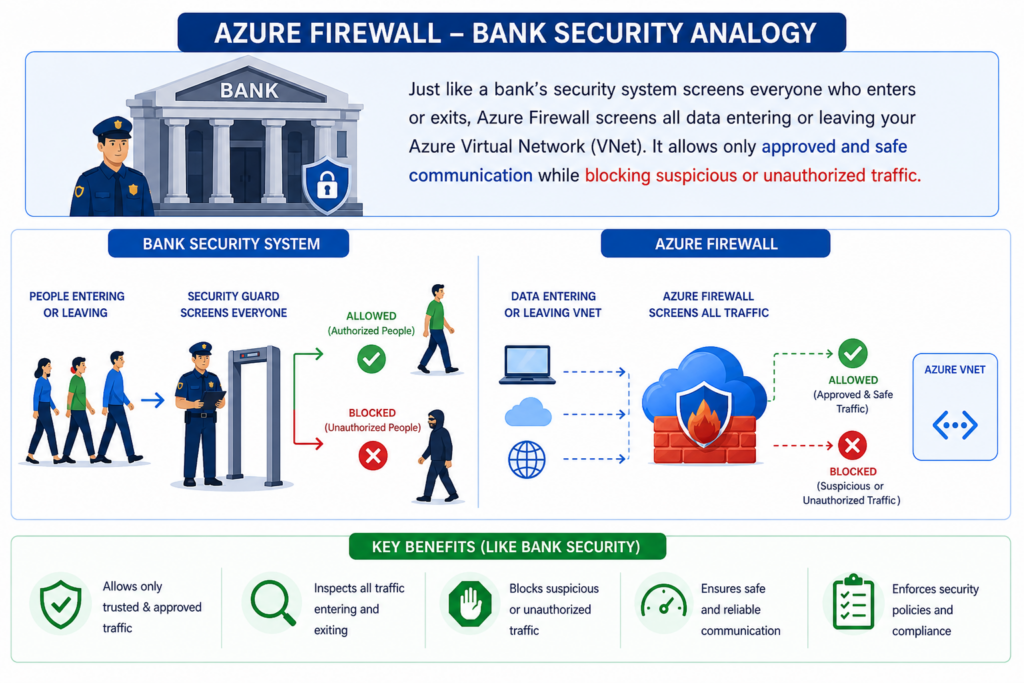
Bank Security System
Understanding the operation of Azure Firewall can be made easier by using the analogy of the security system of a bank. When people enter or leave a bank, the security guards screen everyone to verify that no one who does not belong there is getting in or out. In the same way, Azure Firewall screens all the data entering or exiting the Azure Virtual Network (VNet). It allows only approved and safe communication while blocking suspicious or unauthorized traffic.
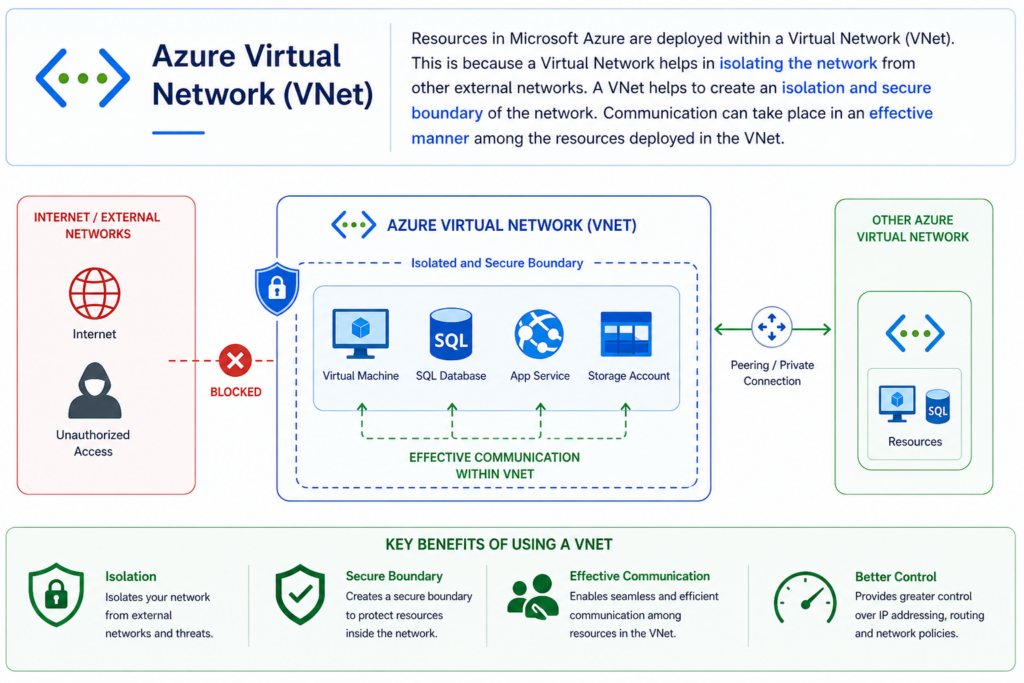
Azure Virtual Network (VNet)
Resources in Microsoft Azure are deployed within a Virtual Network (VNet). This is because a Virtual Network helps in isolating the network from other external networks. A VNet helps to create an isolation and secure boundary of the network. Communication can take place in an effective manner among the resources deployed in the VNet.
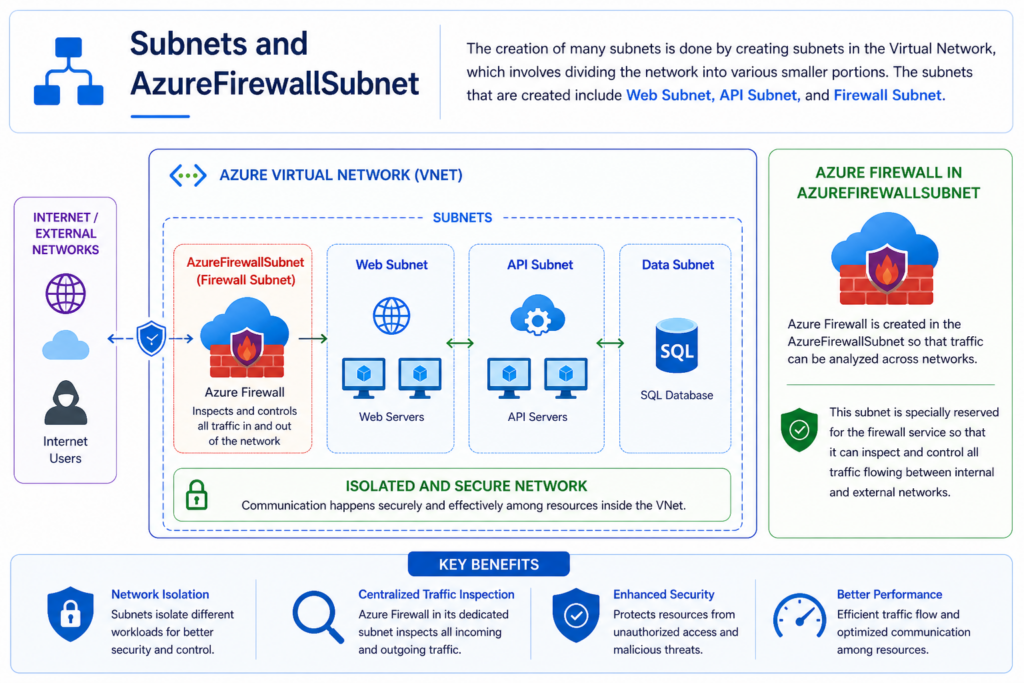
Subnets and AzureFirewallSubnet
The creation of many subnets is done by creating subnets in the Virtual Network, which involves dividing the network into various smaller portions. The subnets that are created include Web Subnet, API Subnet, and Firewall Subnet. Azure Firewall is created in the AzureFirewallSubnet so that traffic can be analyzed across networks. This subnet is specially reserved for the firewall service so that it can inspect and control all traffic flowing between internal and external networks.
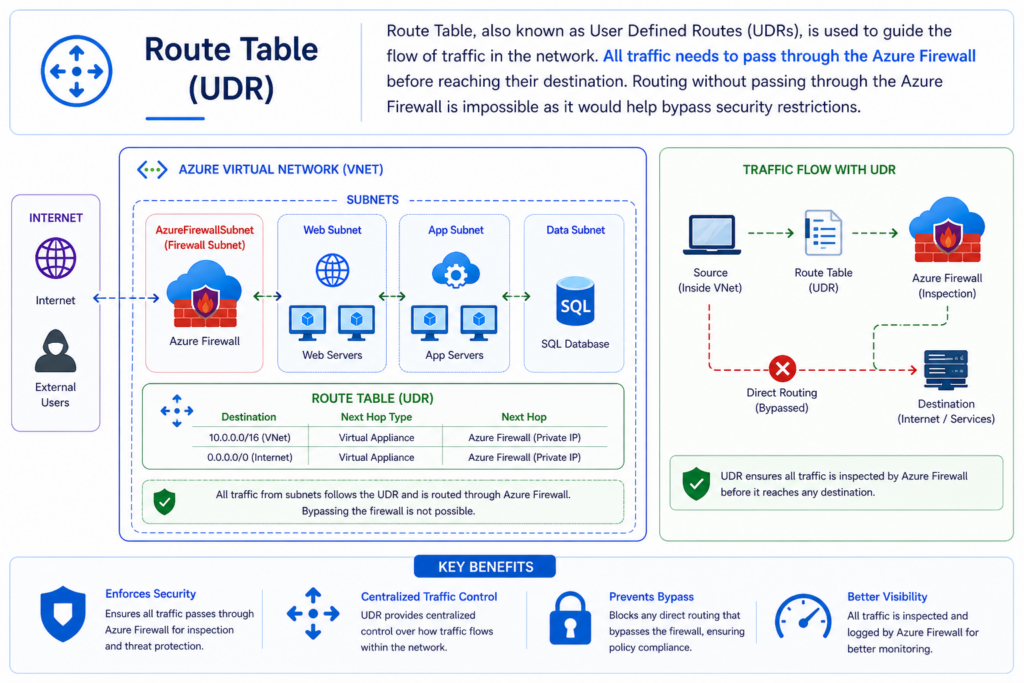
Route Table (UDR)
Route Table, also known as User Defined Routes (UDRs), is used to guide the flow of traffic in the network. All traffic needs to pass through the Azure Firewall before reaching their destination. Routing without passing through the Azure Firewall is impossible as it would help bypass security restrictions.
Traffic Filtering and Monitoring
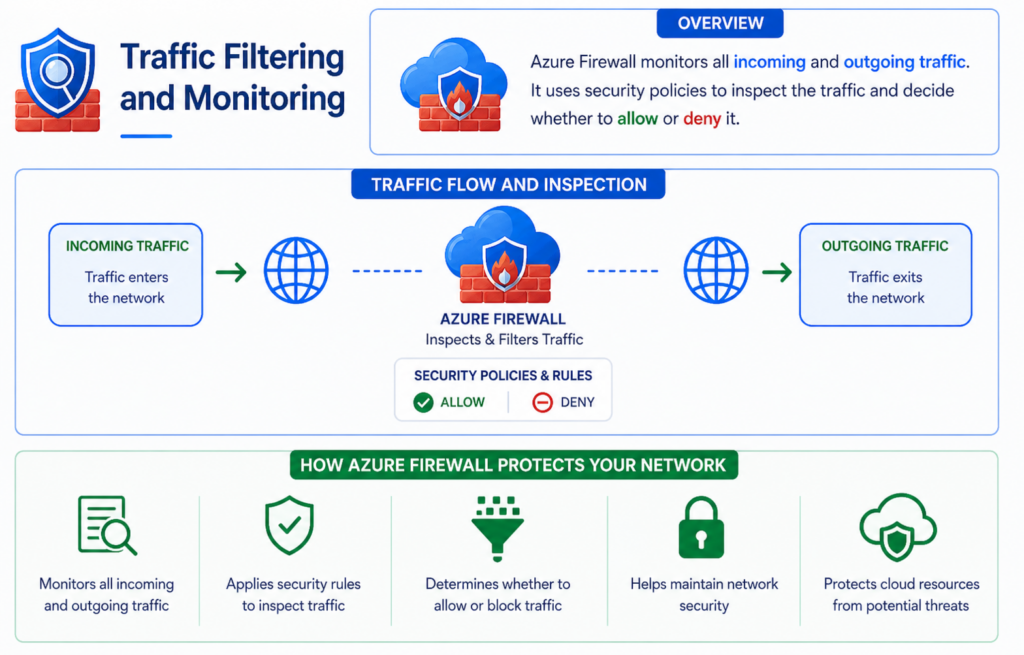
Azure Firewall monitors all incoming and outgoing traffic. The term “incoming traffic” is used to refer to traffic that enters the network, whereas “outgoing traffic” is used to refer to traffic that exits the network. Azure Firewall uses security policies to inspect the traffic and decide whether to allow or deny it. The firewall applies security rules to inspect this traffic and determine whether it should be allowed or blocked. This helps maintain network security and protects cloud resources from potential threats.
FQDN Support
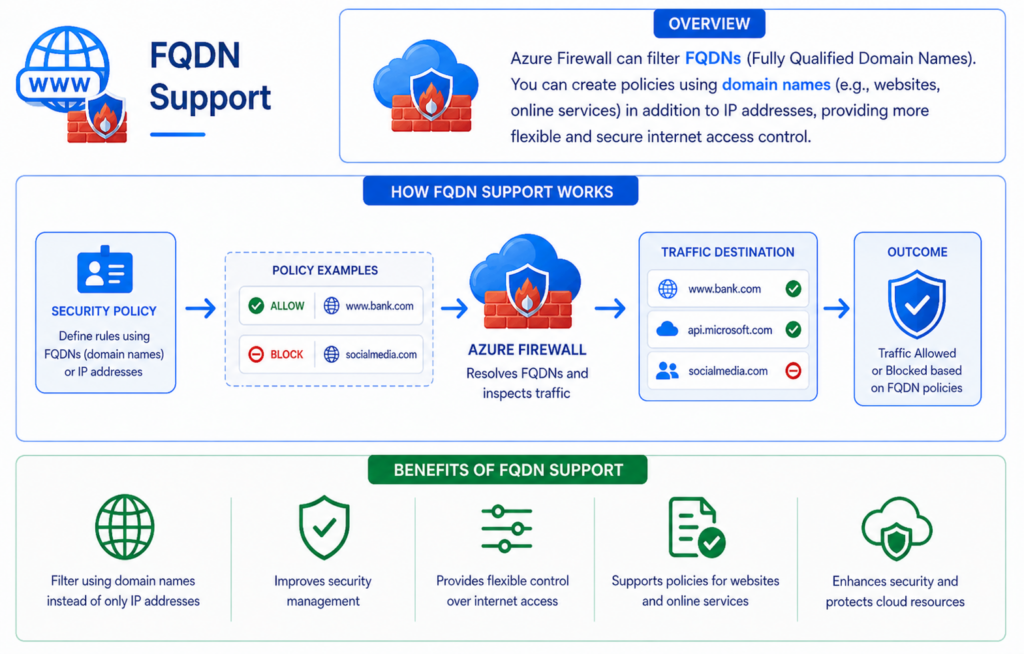
In a bank, security staff may allow entry to people based not only on their identification number but also on their organization or official identity. Azure Firewall has the capability to filter FQDNs (Fully Qualified Domain Names). It does not restrict users from filtering either by allowing or blocking IP addresses alone. Users can formulate policies that include domain names like websites and other online services. This feature improves security management and provides more flexible control over internet access.
Conclusion
Azure Firewall is a centralized and highly secure network security service that protects Azure Virtual Networks by monitoring and filtering traffic. Using VNets, subnets, route tables, FQDN filtering, and monitoring features, Azure Firewall ensures secure communication and reliable protection for cloud-based resources.